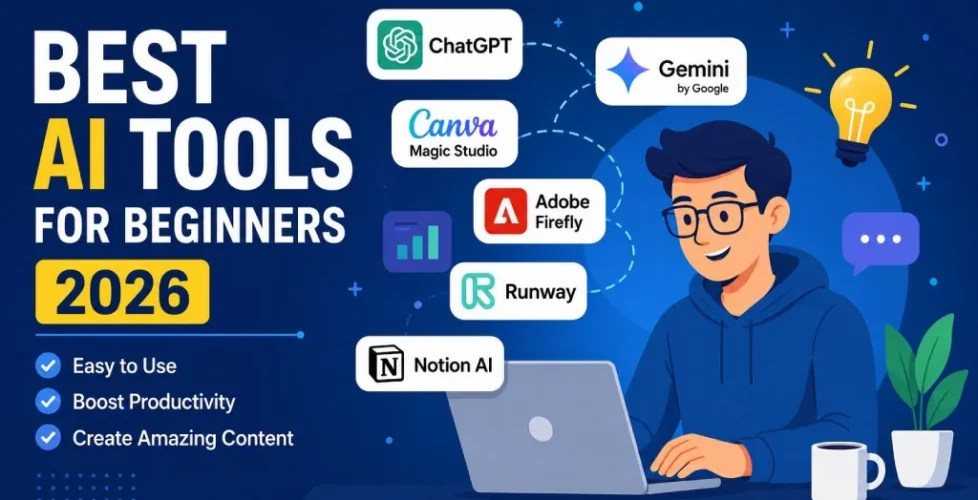
Best AI Tools for Beginners in 2026
Artificial Intelligence is no longer just for developers and tech companies. In 2026, beginners can use AI tools to create content, design images, build websites, edit videos, and automate tasks with little to no experience. As a result, AI has become one of the most important technologies for creators, freelancers, marketers, and business owners.
However, choosing the right AI tool can feel overwhelming. New platforms appear almost every week, and many promise the same features. Therefore, beginners often struggle to know where to start.
The good news is that many AI tools are now designed specifically for ease of use. In fact, some platforms require nothing more than a simple text prompt. Whether you want to create social media posts, write blog articles, generate videos, or improve productivity, there is an AI tool that can help.
Here are the best AI tools for beginners in 2026 and why they stand out.
Why Beginners Should Learn AI in 2026
AI is changing how people work online. Businesses now use AI for marketing, customer service, design, coding, and research. At the same time, creators use AI to grow YouTube channels, websites, and social media accounts faster than ever before.
Moreover, AI tools can save hours of work every week. Instead of spending an entire day writing content or editing images, users can complete tasks in minutes. Consequently, beginners who learn AI now may gain a major advantage in the future.
Another reason to learn AI is accessibility. Unlike older software, modern AI tools are easier to use and often include step-by-step guidance. Therefore, beginners can start without advanced technical knowledge.
1. OpenAI ChatGPT
ChatGPT remains one of the best AI tools for beginners in 2026. It can help users write blog posts, generate ideas, summarize information, create marketing content, and even learn new skills.
One reason ChatGPT is so popular is its simplicity. Users simply type a question or request, and the AI responds in seconds. Additionally, it supports voice conversations, file uploads, and image generation.
Beginners often use ChatGPT for:
- Writing articles
- Creating YouTube scripts
- Learning coding basics
- Generating business ideas
- Improving SEO content
- Brainstorming social media posts
Furthermore, ChatGPT can act like a personal assistant. As a result, many freelancers and creators use it daily to improve productivity.
You can learn more at OpenAI
2. Canva Magic Studio
Canva has evolved far beyond basic graphic design. In 2026, its AI-powered Magic Studio tools make content creation extremely beginner friendly.
For example, users can generate presentations, social media graphics, thumbnails, logos, and short videos with simple prompts. In addition, Canva includes drag-and-drop editing, which makes design much easier for beginners.
Many creators use Canva because:
- It requires no design experience
- Templates are easy to customize
- AI tools speed up content creation
- It works well for social media marketing
Moreover, Canva offers both free and premium plans, so beginners can start without a large budget.
Visit Canva for more information.
3. Google Gemini
Google Gemini has become one of the strongest AI assistants for everyday tasks. It integrates directly with Google products such as Gmail, Docs, Sheets, and Search.
As a result, beginners can automate many tasks they already perform online. For instance, Gemini can summarize emails, create documents, generate spreadsheets, and answer research questions quickly.
Another advantage is familiarity. Since many people already use Google products daily, Gemini feels easier to adopt.
Gemini is especially useful for:
- Research
- Productivity
- Email writing
- Data organization
- Educational tasks
Learn more at Google Gemini
4. Adobe Firefly
Adobe Firefly is one of the best AI image generation tools for beginners. It allows users to create high-quality graphics and edit photos using text prompts.
For example, users can remove backgrounds, expand images, generate art, and create marketing visuals in seconds. Additionally, Firefly integrates with popular Adobe apps like Photoshop and Illustrator.
Because the interface is beginner friendly, users can create professional visuals without advanced editing skills.
Firefly is ideal for:
- Social media graphics
- YouTube thumbnails
- Website images
- Advertising creatives
- AI art generation
Visit Adobe Firefly to explore its features.
5. Notion AI
Notion AI combines note-taking, organization, and artificial intelligence into one platform. As a result, beginners can manage projects and generate content more efficiently.
For instance, Notion AI can summarize notes, create outlines, brainstorm ideas, and organize information automatically. Furthermore, it works well for students, entrepreneurs, and content creators.
One major advantage is simplicity. Unlike complex project management software, Notion remains easy to navigate.
Beginners often use Notion AI for:
- Content planning
- Business organization
- Productivity systems
- Team collaboration
- Daily task management
You can visit Notion to learn more.
6. Runway
AI video tools are growing rapidly, and Runway is leading the way in 2026. It helps beginners create videos using text prompts, AI editing, and automated effects.
For example, users can generate video clips, remove backgrounds, add animations, and edit footage faster than traditional software allows.
Because video content continues to dominate social media, Runway is becoming increasingly important for creators.
Runway works well for:
- YouTube videos
- TikTok content
- Marketing ads
- Short-form video editing
- AI-generated visuals
Check out Runway for details.
How to Choose the Right AI Tool
Choosing the best AI tool depends on your goals. Therefore, beginners should focus on one category at a time instead of trying every platform at once.
Here are some simple recommendations:
- For writing and productivity: ChatGPT or Gemini
- For graphic design: Canva or Firefly
- For organization: Notion AI
- For video creation: Runway
Additionally, beginners should test free versions before upgrading to paid plans. This approach helps users understand which tools fit their workflow best.
Another smart strategy is combining tools together. For example, someone might use ChatGPT for writing, Canva for graphics, and Runway for videos. Consequently, content creation becomes much faster and more efficient.
Final Thoughts
The best AI tools for beginners in 2026 are easier to use, more powerful, and more accessible than ever before. Whether you want to build a business, grow a website, create social media content, or improve productivity, AI can help you work smarter.
Most importantly, beginners no longer need advanced technical skills to get started. Thanks to modern interfaces and AI automation, almost anyone can use these tools effectively.
As AI continues to evolve, learning these platforms today may provide a major advantage tomorrow. Therefore, now is an excellent time to start exploring the world of artificial intelligence.